Historic Release Notes
November '25 Snap OS Update v5.064.0423
Performance Improvements & Bug Fixes for Snap Cloud, Capture Service, Connected Lenses & More
Feature Improvements & Fixes
- Capture Service performance improvements, including resolution of crash errors
- SnapOS Authorization performance issues resolved for Snap Cloud users
- Realtime connection performance issues on Snap Cloud resolved for Snap Cloud users
- Connected Lens session and spatial mapping performance improvements
- UI improvements to EyeConnect when joining a Connected Lens session
- AI audio output quality improvements during captures including fixes to observed glitches and distortion of AI audio once captured
- Fixes to broken localization poses after user sleeps device or exits to Lens Explorer
- Lens Explorer performance improvements after device has been asleep for an extended period of time
Lens Improvements & Fixes
- Native Browser performance improvements, including fix for frozen screen when loading and browsing web pages
- Fleet Management Application performance improvements
Versions
Please update to the latest version of Snap OS and the Spectacles App. Follow these instructions to complete your update (link). Please confirm that you’re on the latest versions:
- OS Version: v5.064.0423
- Spectacles App iOS: v0.64.16.0
- Spectacles App Android: v0.64.16.0
- Lens Studio: v5.15.1
⚠️ Known Issues
- Video Calling: Currently not available, we are working on bringing it back.
- Hand Tracking: You may experience increased jitter when scrolling vertically.
- Lens Explorer: We occasionally see the lens is still present or Lens Explorer is shaking on wake up. Sleep / Wake to resolve.
- Multiplayer: In a mulit-player experience, if the host exits the session, they are unable to re-join even though the session may still have other participants
- Custom Locations Scanning Lens: We have reports of an occasional crash when using Custom Locations Lens. If this happens, relaunch the lens or restart to resolve.
- Capture / Spectator View: It is an expected limitation that certain Lens components and Lenses do not capture (e.g., Phone Mirroring). We see a crash in lenses that use the cameraModule.createImageRequest(). We are working to enable capture for these Lens experiences.
- Gallery / Send: Attempting to send a capture quickly after taking can result in failed delivery.
- Import: The capture length of a 30s capture can be 5s if import is started too quickly after capture.
- Multi-Capture Audio: The microphone will disconnect when you transition between a Lens and Lens explorer.
- BLE HDI Input: Only select HDI devices are compatible with the BLE API. Please review the recommended devices in the release notes.
- Mobile Kit: Mobile Kit only supports BLE at this time so data input is limited
- Browser: No capture available while in Browser, including errors when capturing WebXR content in Immersive Mode
- Gallery: If capture is sent outside of device in a Snap, only half of the fully captured video may play
Snap OS 2.0, Supabase Support & Monetization Updates
Since the launch of Spectacles (2024), we have released nearly 30 features and over 10 new APIs that have given you improved input methods, OpenAI and Gemini integration, and toolkits to use in your Lenses. In our last major update for Spectacles (2024), we are thrilled to bring you 3 additional APIs, over 5 exciting projects from Paramount, ILM and Snap, and 10 new features and toolkits including the introduction of Snap Cloud, powered by Supabase.
New Features & Toolkits
- Snap Cloud: Powered by Supabase - Supabase’s powerful back-end-as-a-service platform is now integrated directly into Lens Studio. Rapidly build, deploy, and scale applications without complex backend setup
- Permission Alerts - Publish experimental Lenses with sensitive user data and internet access with user permission and LED light alerts
- Commerce Kit - An API and payment system that facilitates payments through the Spectacles Mobile App and allows developers to access inventory and transaction history. Only available to developers located in the United States at this time.
- UI Kit - A Lens Studio package that allows developers to seamlessly integrate Snap OS 2.0’s new design system into their Lenses
- Mobile Kit - An SDK for Spectacles that allows new and existing mobile applications to connect to Spectacles over BLE
- EyeConnect - System feature for Connected Lenses that connects end users in a single shared space using tracking
- Travel Mode - System level feature that automatically adjusts content to vehicles in motion
- Fleet Management - Dashboard management system that allows developers and teams to easily manage multiple devices
- Semantic Hit Testing - Identify if a ray hits the ground and track the ground for object placement
New APIs
- Google Imagen API - Create realistic and high-fidelity text-to-prompt images
- Google Lyria Runtime API - Send prompts and controls to steer music generation, send music playbook controls, and receive audio
-
Battery Level API - Optimize Lenses for the end user’s current battery level
Updates & Improvements
- Guided Mode Updates - Updates to Guided Mode including a new Tutorial Mode that queues Tutorial Lens to start upon Spectacles start
- Popular Category - “Popular” category with Spectacles’ top Lenses has been added to Lens Explorer
- Improvements to Wired Connectivity: Allows Spectacles to connect to any Lens Studio instance when turned on
- Improvements to Sync Kit and Spectacles Interaction Kit Integration: In a Connected Lens, it is now easier for multiple users to sync interactions including select, scroll, and grab
- Improvements to Spectacles Interaction Kit: Improvements and fixes to SIK input
- Improvements to Ray Cast: Improvements and fixes to ray cast functionality
- Improvements to Face Tracking: All facial attachment points are now supported
New & Updated Lenses
- Updates to Native Browser - Major updates to our native browser including WebXR support, updated interface design, faster navigation, improved video streaming and new additions such as an updated toolbar and added bookmarks feature
- Spotlight for Spectacles - Spotlight is now available on Spectacles. With a Snapchat account, privately view vertical video, view and interact with comments, and take Spotlight content on-the-go
- Gallery - View captures, relive favorite moments, and send captures to Snapchat all without transferring videos off of Spectacles
- Translation - Updates to Translation Lens including improved captions and new UI
- Yoga - Take to the mat with a virtual yoga instructor and learn classic Yoga poses while receiving feedback in real-time through a mobile device
- Avatar: The Last Airbender - Train alongside Aang from Paramount’s Avatar: The Last Airbender and eliminate targets with the power of airbending in this immersive game
- Star Wars: Holocron Histories - Step into the Star Wars universe with this AR experiment from ILM and learn how to harness the Force in three interactive experiences
New Features & Toolkits
Snap Cloud: Powered by Supabase (Alpha)
Spectacles development is now supported by Supabase’s powerful back-end-as-a-service platform accessible directly from Lens Studio. Developers can use Snap Cloud: Powered by Supabase to rapidly build, deploy, and scale their applications without complex backend setup.
Developers now have access to the following Supabase features in Lens Studio:
- Databases Complemented by Instant APIs: powerful PostgreSQL databases that automatically generate instant, secure RESTful APIs from your database schema, allowing for rapid data interaction without manual API development
- Streamlined Authentication: a simple and secure way to manage users using the Snap identity
- Real-Time Capabilities: enables real-time data synchronization and communication between clients, allowing applications to instantly reflect database changes, track user presence, and send broadcast messages
- Edge Functions: These are serverless functions written in TypeScript that run globally on the edge, close to your users, providing low-latency execution for backend logic
- Secure Storage: Provides a scalable object storage solution for any file type (images, videos, documents) with robust access controls and policies, integrated with a global CDN for efficient content delivery. Developers can also use blob storage to offload heavy assets and create Lenses that exceed the 25MB file size limit
In this Alpha release, Supabase’s integration with Lens Studio will be available by application only. Apply for Snap Cloud access: application, docs
Permission Alerts
Spectacles developers have been unable to publish experimental Lenses containing sensitive user data such as camera frames, raw audio, and GPS coordinates if accessing the internet. With Permission Alerts, developers can now publish experimental Lenses with sensitive user data and internet access.
- System Permissioning Prompt: Lenses containing sensitive data will show a prompt to the end user each time the Lens is launched requesting the user’s permission to share each sensitive data component used in the Lens. The user can choose to deny or accept the request for data access.
- LED Light Access: If the user accepts the request to access their data, the LED light will be on at all times and repeat in a blinking sequence so that bystanders are aware that data is being captured.
Learn more about Permissions: docs
|
Permission Prompts |
Permission Alert Bystander Indicator |
Commerce Kit
Commerce Kit (Closed Beta) is an API and payment system that facilitates payments through the Spectacles Mobile App and allows developers to access inventory and transaction history. It will be available only to US developers in Beta and requires application approval.
-
Spectacles Mobile App Payment Integration: Commerce Kit enables a payment system on the Spectacles Mobile App that allows Spectacles’ users to
- Add, save, delete, and set default payment methods (e.g., credit card information) from the Spectacles mobile app
- Make purchases in approved Lenses
- Receive purchase receipts from Snap if email is connected to their Snapchat account
- Request a refund through Snap’s customer support email
- Pin Entry: Spectacles wearers will be able to set a 4-6 digit pin in the Spectacles Mobile App. This pin will be required each time an end user makes a purchase on Spectacles
- Transaction History: Developers will be sent email receipts of customer purchases where they can keep track of transaction history
- CommerceModule: When a developer sets up the “CommerceModule” in their Lens Studio project, they will be able to receive payments from Lenses. All payments will be facilitated by the Snap Payment System. The CommerceModule will also provide a Json file in Lens Studio for developers to manage their inventory
- Validation API: The Validation API will be provided through the CommerceModule, which will inform a developer whether or not a product has been purchased before by the end user
Apply for access to Commerce Kit: application, docs
UI Kit
A new addition to Lens Studio developer tools that allows Spectacles developers to easily and efficiently build sophisticated interfaces into their Lenses. This Lens Studio package leverages hooks into Spectacles Interaction Kit (SIK) that permit UI elements to be mapped to actions out-of-the-box.
Learn more about UI Kit: docs
|
UI Kit Elements |
Mobile Kit
Mobile Kit is a new SDK for Spectacles that allows new and existing mobile applications to connect to Spectacles over BLE. Send data from mobile applications such as health tracking, navigation, and gaming apps, and create extended augmented reality experiences that are hands free and don’t require wifi.
Learn more about Mobile Kit: docs
|
Mobile Kit Connection |
EyeConnect
EyeConnect is a patent-pending system feature for Connected Lenses that connects end users in a single shared space by identifying other users’ Spectacles. EyeConnect simplifies the connection experience in Lenses, making it easier for Specs users to start enjoying co-located experiences.
- Co-location with Specs Tracking: EyeConnect allows users to co-locate with face and device tracking (Note: data used for face tracking and device tracking is never stored). Two or more users are directed by the Lens UI to look at each other. The Connected Lenses session will automatically co-locate all users within a single session without mapping (note: mapping will still be active in the background).
- Connected Lens Guidance: When in a Connected Lens, end users will be guided with UI to look at the user joining them in the session. This UI will help users connect via EyeConnect. .
- Custom Location Guidance: Custom Locations allow developers to map locations in the real world in order to create AR experiences for those locations. When Custom Location is used, EyeConnect is disabled and different guidance for relocalization will be shown instead.
- Developer Mode: If you want to disable EyeConnect, you can enable mapping-only guidance. This is especially helpful during testing where you can test Connected Lenses on Spectacles or within Lens Studio.
Travel Mode (Beta)
Another one of our new consumer-focused features, Travel Mode is now available in the Spectacles mobile application. Travel Mode is a system level feature that anchors content to a vehicle in motion when toggled “on.” This ensures that the interface does not jitter or lose tracking when moving in a plane, train or automobile and that all content rotates with the vehicle.
|
Travel Mode |
Fleet Management
Fleet Management introduces a system that will allow developers to easily manage multiple devices. Fleet Management includes:
- Fleet Management Dashboard: A dashboard located on a separate application that allows system users to manage all group devices and connected devices. Within the dashboard, authorized users can create, delete, re-name, and edit device groups
- Admin: A Snapchat Account can be assigned as an Admin and will be able to access the Fleet Management Dashboard and manage users
- Features: With Fleet Management, system users can control multiple devices at once including factory resetting, remotely turning off all devices, updating multiple devices, adjusting settings like IPD, setting a sleep timer, and setting Lenses.
Semantic Hit Testing
- World Query Hit Test that identifies if a ray hits the ground so developers can track the ground for object placement
Learn more about Semantic Hit Testing: docs
|
Hit Test Example |
New APIs
Google Imagen API
-
Google Imagen API is now supported for image generation and image to image edits on Spectacles. With Google Imagen API, you can create realistic and high-fidelity text-to-prompt images. (learn more about Supported Services)
Google Lyria Runtime API
- Google Lyria Runtime API is now supported for real-time music generation on Spectacles. Use the Lyria Realtime Websocket to send prompts and controls to steer music generation, send music playbook controls, and receive audio. (learn more about Supported Services)
Battery Level API
You can now call the Battery Level API when optimizing your Lens for the end user’s current battery level. You can also subscribe to a battery threshold event, which will notify you when a battery reaches a certain level.
Updates & Improvements
Guided Mode Updates
Updates to Guided Mode include:
- New Tutorial Mode that allows the Tutorial Lens to start upon Spectacles start or wake state
- New Demo Setting Page: Dedicated space for Spectacles configurations that includes Guided Mode and Tutorial Mode
Popular Lenses Category
“Popular” category with Spectacles’ top Lenses has been added to Lens Explorer.
Improvements to “Enable Wired Connectivity” Setting
Functionality of the “Enable Wired Connectivity” setting in the Spectacles app has been improved to allow Spectacles to connect to any Lens Studio instance when turned on. This prevents Spectacles from only attempting to connect to a Lens Studio instance that may be logged into a different account
Note that with this release, if you want to prevent any unauthorized connections to Lens Studio, the setting should be turned off. By turning the setting on, third parties with access to your mobile device could connect to their Lens Studio account and push any Lens to their device. We believe this risk to be minimal compared to released improvements
Improvements to Sync Kit and Spectacles Interaction Kit Integration:
- We’ve improved the compatibility between Spectacles Interaction Kit and Sync Kit, including improving key interaction system components. In a Connected Lens, it is now easier for multiple users to sync interactions including select, scroll, and grab. Additionally, if all users exit and rejoin the Lens, all components will be in the same location as the previous session
Improvements to Spectacles Interaction Kit:
- Improved targeting visuals with improvements to hover/trigger expressiveness
- Improvements to input manipulation
-
Ability to cancel unintended interactions
Improvements to Ray Cast:
- Improves ray cast accuracy across the entire platform, including SIK, System UI, and all Spectacles Lenses
- Fix for jittery cursor
- Fix for inaccurate targeting
- Reduces ray cast computation time up to 45%
New & Updated Lenses
Browser 2.0:
-
Major updates to Browser including up to ~10% power utilization savings and major improvements to 3D content. The following updates have been made to the Browser Lens:
- Improved pause behavior: Improved pause behavior where media on the web page should also pause if Browser is paused
- Window resizing: Allows users to resize the Browser window to preset aspect ratios (4:3, 3:4, 9:16, 16:9)
- Improved keyboard: Updates for long-form text input
- Updated toolbar: Updates the toolbar to align with user expectations and added search features. When engaging with the toolbar, only the URL field is active. After the site has loaded, additional buttons become active including back history arrow, forward history arrow, refresh and bookmark. Voice input is also an option alongside direct keyboard input
- New home page and bookmarks page: Bookmarks can be edited and removed by the user. Bookmarks are shown on the updated Browser home screen for quick access that allows end users to quickly find their go-to sites
- WebXR Support: Support for the WebXR Device API that enables AR experiences directly in the Browser
-
WebXR Mode: UI support for seamlessly entering and exiting a WebXR experience. Developers will be responsible for designing how an end user enters their WebXR experience, however, SystemUI will be provided in the following cases:
- Notification for Entering “Immersive Mode”: When an end user enters a WebXR experience, the user receives a notification that they are entering a WebXR experience (“immersive mode”) for 3 seconds
- Exiting Through Palm: When in a WebXR experience, end user is able to exit“Immersive Mode” and return to a 2D web page through a button on the palm
- Capture: WebXR experiences can be captured and shared
Learn more about WebXR support: docs
|
Resizing windows in Browser 2.0 |
WebXR example by Adam Varga |
Spotlight for Spectacles
- Spotlight is now available for Spectacles. With a connected Snapchat account, Specs wearers will be able to view their Spotlight feed privately through Specs wherever they are
- Tailor a Spotlight feed to match interests, interact with comments, follow/unfollow creators, and like/unlike Snaps
Spotlight
Gallery & Snapping
- Gallery introduces a way to view and organize videos taken on Spectacles
- Sort by Lens, use two-hand zoom to get a closer look at photos, and send videos to friends on Snapchat
|
Gallery |
Snapping |
Yoga
- Learn yoga from a virtual yoga instructor and get feedback on your poses in real-time
- Includes Commerce Kit integration so that end users have the ability to buy outfits, yoga mats, and a new pose
- Integrates with Spectacles app for body tracking functionality
- Gemini Live provides real-time feedback, as well as exercise flow management
- AR instructor visible in 3D when looking straight ahead, and moves into screen space when turning away
Yoga Lens
Translation
- Updated caption design to show both interim and final translations
- Added listening indicator
- Updated UI to use UI Kit
- Updated position of content to avoid overlap with keyboard
Translation Updates
Avatar: The Last Airbender
- Train alongside Aang from Paramount’s Avatar: The Last Airbender television series in this immersive game
- Use both head movement and hand gestures to propel air forward and knock down your targets
Airbending with Aang
Star Wars: Holocron Histories
- Guided by a former student of the Force, immerse yourself in the Star Wars universe and connect the past and present by harnessing the Force through three interactive experiences
-
Dive into three stories: an encounter between Jedi and Sith, a cautionary tale from the Nightsisters, and an inspirational tale about the Guardians of the Whills
Versions
Please update to the latest version of Snap OS and the Spectacles App. Follow these instructions to complete your update (link). Please confirm that you’re on the latest versions:
- OS Version: v5.64.399
- Spectacles App iOS: v0.64.10.0
- Spectacles App Android: v0.64.12.0
- Lens Studio: v5.15.0
⚠️ Known Issues
- Permission Issue - Usage of the Remote Service Gateway and RemoteMediaModule could be blocked under certain conditions
- Video Calling: Currently not available, we are working on bringing it back.
- Hand Tracking: You may experience increased jitter when scrolling vertically.
- Lens Explorer: We occasionally see the lens is still present or Lens Explorer is shaking on wake up. Sleep / Wake to resolve.
- Multiplayer: In a mulit-player experience, if the host exits the session, they are unable to re-join even though the session may still have other participants
- Custom Locations Scanning Lens: We have reports of an occasional crash when using Custom Locations Lens. If this happens, relaunch the lens or restart to resolve.
- Capture / Spectator View: It is an expected limitation that certain Lens components and Lenses do not capture (e.g., Phone Mirroring). We see a crash in lenses that use the cameraModule.createImageRequest(). We are working to enable capture for these Lens experiences.
- Gallery / Send: Attempting to send a capture quickly after taking can result in failed delivery.
- Import: The capture length of a 30s capture can be 5s if import is started too quickly after capture.
- Multi-Capture Audio: The microphone will disconnect when you transition between a Lens and Lens explorer.
- BLE HDI Input: Only select HDI devices are compatible with the BLE API. Please review the recommended devices in the release notes.
- Mobile Kit: Mobile Kit only supports BLE at this time so data input is limited
- Browser 2.0: No capture available while in Browser, except for in WebXR Mode
Fixes
- Fixed an issue where tax wasn’t included in the total on the device payment screen.
- Fixed a rare bug where two categories could appear highlighted in Lens Explorer on startup
- Fixed an issue preventing Guide Mode from being set via the mobile app on fleet-managed devices
- Fixed a layout issue causing extra top padding on alerts without an image
- Fixed a reliability issue affecting Snap Cloud Realtime connections on device
- Fixed a permission issue where usage of Remote Service Gateway and RemoteMediaModule could be blocked under certain conditions
❗Important Note Regarding Lens Studio Compatibility
To ensure proper functionality with this Snap OS update, please use Lens Studio version v5.15.0 exclusively. Avoid updating to newer Lens Studio versions unless they explicitly state compatibility with Spectacles, Lens Studio is updated more frequently than Spectacles and getting on the latest early can cause issues with pushing Lenses to Spectacles. We will clearly indicate the supported Lens Studio version in each release note.
Checking Compatibility
You can now verify compatibility between Spectacles and Lens Studio. To determine the minimum supported Snap OS version for a specific Lens Studio version, navigate to the About menu in Lens Studio (Lens Studio → About Lens Studio).
Lens Studio Compatibility
Pushing Lenses to Outdated Spectacles
When attempting to push a Lens to Spectacles running an outdated Snap OS version, you will be prompted to update your Spectacles to improve your development experience.
Incompatible Lens Push
Feedback
Please share any feedback on the Spectacles Reddit.
v5.63.365 - OAUTH2 Mobile Login & Inputs
New Features
- OAuth2 Mobile Login - Quickly and securely authenticate third party applications in Spectacles Lenses with the Auth Kit package in Lens Studio
- BLE HID Input (Experimental) - Receive HID input data from select BLE devices with the BLE API (Experimental)
- Mixed Targeting (Hand + Phone) - Adds Phone in Hand detection to enable simultaneous use of the Spectacles mobile controller and hand tracking input
- OpenAI APIs- Additional OpenAI Image APIs added to Supported Services for the Remote Service Gateway
- Interactable Helper - A powerful tool that enables low to medium fidelity prototyping for Spectacles applications without requiring code
Updates and Improvements
- Publish spatial anchors without Experimental API: Lenses that use spatial anchors are now available to be published without limitations
- Audio improvements: Enables Lens capture with voice and Lens audio simultaneously
- Updated keyboard design: Visual update to keyboard that includes far-field interactions support
- Updated Custom Locations: Browse and import Custom Locations in Lens Studio
OAuth2 Mobile Login
Connecting to third party APIs that display information from social media, maps, editing tools, playlists, and other services requires quick and protected access that is not sufficiently accomplished through manual username and password entry.
With the Auth Kit package in Lens Studio, you can create a unique OAuth2 client for a published or unpublished Lens that communicates securely through the Spectacles mobile app, seamlessly authenticating third party services within seconds.
Use information from these services to bring essential user data such as daily schedules, photos, notes, professional projects, dashboards, and working documents into AR utility, entertainment, editing, and other immersive Lenses (Note: Please review third party Terms of Service for API limitations).
Check out how to get started with Auth Kit and learn more about third party integrations with our documentation.
|
Authenticate third party apps in seconds with OAuth2 |
BLE HID Input (Experimental)
AR Lenses may require keyboard input for editing documents, mouse control for precision edits to graphics and 3D models, or game controllers for advanced gameplay. With the BLE API (Experimental), you can receive Human Input Device (HID) data from select BLE devices including keyboards, mice and game controllers.
Logitech mice and keyboards are recommended for experimental use in Lenses. Devices that require pin pairing and devices using Bluetooth Classic are not recommended at this time.
Recommended game controllers include the Xbox Series X or Series S Wireless Controller and SteelSeries Stratus+.
At this time, BLE HID inputs are intended for developer exploration only.
To learn more about Bluetooth on Spectacles, see our documentation and check out our BLE Game Controller Sample.
|
Controlling your Bitmoji with a game controller on Spectacles |

Mixed Targeting
Previously, when the Spectacles mobile controller was enabled as the primary input in a Lens, hand tracked gestures were disabled. To enable more dynamic input inside of a single Lens, we are releasing Phone in Hand detection as a platform capability that informs the Lens whether one hand is a) holding the phone or b) free to be used for supported hand gestures. If the mobile phone is detected in the left hand, the mobile controller can be targeted for touchscreen input with the left hand. Simultaneously, the right hand can be targeted for hand tracking input.
If the phone is placed down and is no longer detected in an end user’s hand, the left and right hands can be targeted together with the mobile controller for Lens input.
Mixed targeting inspires more complex interactions. It allows end users to select and drag objects with familiar touchscreen input while concurrently using direct-pinch or direct-poke for additional actions such as deleting, annotating, rotating, scaling, or zooming.
|
Mixed Targeting in Lens Explorer (phone + right hand) |
Mixed Targeting in Lens Explorer (phone + right hand+ left hand) |
Additional OpenAI Image APIs
Additional OpenAI APIs have been added to Supported Services for the Remote Service Gateway that allows Experimental Lenses to publish Lenses with internet access and user-sensitive data (camera frame, location, and audio). We’ve added support for the OpenAI Edit Image API and OpenAI Image Variations API.
With the OpenAI Edit Image API, you can create an edited image given one or multiple source images and a text prompt. Use this API to customize and fine-tune generated AI images for use in Lenses.
With the OpenAI Image Variations API, you can create multiple variations of a generated image, making it easier to prototype and quickly find the right AI image for your Lens.
(learn more about Supported Services)
Interactable Helper
Interactable Helper allows developers to create interactive prototypes by controlling core components through Spectacles Interaction Kit Interactable Component events using a visual, code-free inspector interface.
Perfect for: rapid prototyping of interactive experiences, non-technical team members creating interactions, testing user flows without custom scripting, and educational projects and demonstrations.
Download Interactable Helper today from the Asset Library and start creating interactive Spectacles experiences without writing a single line of code!
Updated Keyboard Design
The keyboard design has been updated to include:
- Improved button visuals
- Grab bar and move plane have been replaced with areas on either side of the panel that allows you to quickly move and place the keyboard
- Keyboard can be controlled with far-field interactions
- Additional optimizations for interactions
|
Keyboard updated design |
Keyboard updated design (far-field) |

- Simultaneous Capture of Voice and Audio: When capturing Lenses that require a voice input to generate an audio output, the Lens will capture both the voice input and the output from the Lens. This feature is best for capturing AI Lenses that rely on voice input such as AI Assistants. (learn more about audio on Spectacles) version
Publishing Lenses that use Spatial Anchors without requiring Experimental APIs
- Lenses that use spatial anchors can now be published without enabling Experimental APIs or extended permissions.
Custom Location Improvements
- In Lens Studio, you can now browse and import Custom Locations instead of scanning and copying IDs manually into your projects.
Custom Location in Lens Studio
Versions
Please update to the latest version of Snap OS and the Spectacles App. Follow these instructions to complete your update (link). Please confirm that you’re on the latest versions:
- OS Version: v5.63.365
- Spectacles App iOS: v0.63.1.0
- Spectacles App Android: v0.63.1.0
- Lens Studio: v5.12.1
⚠️ Known Issues
- Video Calling: Currently not available, we are working on a fix and will be bringing it back shortly.
- Hand Tracking: You may experience increased jitter when scrolling vertically.
- Multiplayer: In a multiplayer experience, if the host exits the session, they are unable to re-join even though the session may still have other participants.
- Multiplayer: If you exit a lens at the "Start New" menu, the option may be missing when you open the lens again. Restart the lens to resolve this.
- Custom Locations Scanning Lens: We have reports of an occasional crash when using Custom Locations Lens. If this happens, relaunch the lens or restart to resolve.
- Capture / Spectator View: It is an expected limitation that certain Lens components and Lenses do not capture (e.g., Phone Mirroring). We see a crash in lenses that use the cameraModule.createImageRequest(). We are working to enable capture for these Lens experiences.
- Multi-Capture Audio: The microphone will disconnect when you transition between a Lens and Lens explorer.
- BLE HID Input (Experimental): Only select HID devices are compatible with the BLE API. Please review the recommended devices in the release notes.
❗Important Note Regarding Lens Studio Compatibility
To ensure proper functionality with this Snap OS update, please use Lens Studio version v5.12.1 exclusively. Avoid updating to newer Lens Studio versions unless they explicitly state compatibility with Spectacles, Lens Studio is updated more frequently than Spectacles and getting on the latest early can cause issues with pushing Lenses to Spectacles. We will clearly indicate the supported Lens Studio version in each release note.
Checking Compatibility
You can now verify compatibility between Spectacles and Lens Studio. To determine the minimum supported Snap OS version for a specific Lens Studio version, navigate to the About menu in Lens Studio (Lens Studio → About Lens Studio).
Lens Studio Compatibility
Pushing Lenses to Outdated Spectacles
When attempting to push a Lens to Spectacles running an outdated Snap OS version, you will be prompted to update your Spectacles to improve your development experience.
Incompatible Lens Push
Feedback
Please share any feedback or questions on the Spectacles Reddit.
v5.62.0219 - AI x AR
- 🧠 OpenAI, Gemini, and Snap-Hosted Open-Source Integrations - Get access credentials to OpenAI, Gemini, and Snap-hosted open-source LLMs from Lens Studio. Lenses that use these dedicated integrations can use camera access and are eligible to be published without needing extended permissions and experimental API access.
- 📍 Depth Caching - This API allows the mapping of 2D coordinates from spatial LLM responses back to 3D annotations in a user's past environment, even if the user has shifted their view.
- 💼 SnapML Real-Time Object Tracking Examples - New SnapML tutorials and sample projects to learn how to build real-time custom object trackers using camera access for chess pieces, billiard balls, and screens.
- 🪄 Snap3D In Lens 3D Object Generation - A generative AI API to create high quality 3D objects on the fly in a Lens.
- 👄 New LLM-Based Automated Speech Recognition API - Our new robust LLM-based speech-to-text API with high accuracy, low latency, and support for 40+ languages and a variety of accents.
- 🛜 BLE API (Experimental) - An experimental BLE API that allows you to connect to BLE devices, along with sample projects.
- ➡️ Navigation Kit - A package to streamline the creation of guided navigation experiences using custom locations and GPS locations.
- 📱 Apply for Spectacles from the Spectacles App - We are simplifying the process of applying to get Spectacles by using the mobile app in addition to Lens Studio.
- ✨ System UI Improvements - Refined Lens Explorer design and layout, twice as fast load time from sleep, and a new Settings palm button for easy access to controls like volume and brightness.
- 🈂️ Translation Lens - Get AI-powered real-time conversation translation along with the ability to have multi-way conversations in different languages with other Spectacles users
-
🆕 New AI Community Lenses - New Lenses from the Spectacles community showcasing the power of AI capabilities on Spectacles:
- 🧚♂️ Wisp World by Liquid City - A Lens that introduces you to cute, AI-powered “wisps” and takes you on a journey to help them solve unique problems by finding objects around your house.
- 👨🍳 Cookmate by Headraft: Whip up delicious new recipes with Cookmate by Headraft. Cookmate is your very own cooking assistant, providing AI-powered recipe search based on captures of available ingredients.
- 🪴 Plant a Pal by SunfloVR - Infuse some fun into your plant care with Plant a Pal by SunfloVR. Plant a Pal personifies your house plants and uses AI to analyze their health and give you care advice.
- 💼 Super Travel by Gowaaa - A real-time, visual AR translator providing sign and menu translation, currency conversion, a tip calculator, and common travel phrases.
- 🎱 Pool Assist by Studio ANRK - (Preview available now, full experience coming end of June) Pool Assist teaches you how to play pool through lessons, mini-games, and an AI assistant.
OpenAI, Gemini, and Snap-Hosted Open-Source Integrations
Using Lens Studio, you can now use Lens Studio to get access credentials to OpenAI, Gemini, and Snap-hosted open-source LLMs to use in your Lens. Lenses that use these dedicated integrations can use camera access and are eligible to be published without needing extended permissions and experimental API access. We built a sample AI playground project (link) to get you started. You can also learn more about how to use these new integrations (link to documentation).
AI Powered Lenses
Get Access Tokens from Lens Studio
Depth Caching
The latest spatial LLMs are now able to reason about the 3D structure of the world and respond with references to specific 2D coordinates in the image input they were provided. Using this new API, you can easily map those 2D coordinates back to 3D annotations in the user’s environment, even if the user looked away since the original input was provided. We published the Spatial Annotation Lens as a sample project demonstrating how powerful this API is when combined with Gemini 2.5 Pro. See documentation to learn more.
Depth Catching

Depth Caching API
SnapML Sample Projects
We are releasing sample projects (SnapML Starter, SnapML Chess Hints, SnapML Pool) to help you get started with building custom real-time ML trackers using SnapML. These projects include detecting and tracking chess pieces on a board, screens in space, or billiard balls on a pool table. To build your own trained SnapML models, review our documentation.
Screen Detection with SnapML
Chess Piece Tracking with SnapML
Billard Balls Tracking with SnapML
Snap3D In Lens 3D Object Generation
We are releasing Snap3D - our in Lens 3D object generation API behind the Imagine Together Lens experience we demoed live on stage last September at the Snap Partner Summit. You can get access through Lens Studio, and use it to generate high quality 3D objects right in your Lens. Use this API to add a touch of generative AI object generation magic in your Lens experience. (learn more about Snap3D)
Snap3D Realtime Object Generation
New Automated Speech Recognition API
Our new automated speech recognition is a robust LLM-based speech-to-text API that provides a balance between high accuracy, low latency, and support for 40+ languages and a variety of accents. You can use this new API where previously you might have used VoiceML. You can experience it in our new Translation Lens. (Link to documentation)
Automated Speech Recognition in the Translation Lens
BLE API (Experimental)
A new experimental BLE API that allows you to connect your Lens to BLE GATT peripherals. Using this API, you can directly scan for devices, connect to them, and read/write from them directly from your Lens. To get you started, we are publishing the BLE Playground Lens – a sample project showing how to connect to lightbulbs, thermostates, and heart-monitors. (see documentation).
BLE Example

BLE Example
Navigation Kit
Following our releases of GPS, heading, and custom locations, we are introducing Navigation Kit, a new package designed to make it easy to create guided experiences. It includes a new navigation component that makes it easy to get directions and headings between points of interest in a guided experience. You can connect a series of custom locations and/or GPS points, import them into Lens Studio, and create an immersive guided experience. With the new component, you can seamlessly create a navigation experience in your Lens between these locations without requiring you to write your own code to process GPS coordinates or headings. Learn more here.

Guided Navigation Example
Connected Lenses in Guided Mode
We previously released Guided Mode to lock a device in one Lens to make it easy for unfamiliar users to launch directly into the experience without having to navigate the system. In this release, we are adding Connected Lens support to Guided Mode. You can lock devices in a multi-player experience and easily re-localize against a preset map and session.
Apply for Spectacles from the Spectacles App
We are simplifying the process of applying to get Spectacles by using the mobile app instead of using Lens Studio. Now you can apply directly from the login page.
System UI Improvements
Building on the beta release of the new Lens Explorer design in our last release, we refined the Lens Explorer layout and visuals. We also reduced the time of Lens Explorer loading from sleep by ~50%, and added a new Settings palm button for easy access to controls like volume and brightness.
New Lens Explorer with Faster Load Time
Translation Lens
In this release, we’re releasing a new Translation Lens that builds on top of the latest AI capabilities in SnapOS. The Lens uses the Automatic Speech Recognitation API and our Connected Lenses framework to enable a unique group translation experience. Using this Lens, you can get an AI-powered real-time translation both in single and multi-device modes.
Translation Lens
New AI-Powered Lenses from the Spectacles Community
AI on Spectacles is already enabling Spectacles developers to build new and differentiated experiences:
- 🧚 Wisp World by Liquid City - Meet and interact with fantastical, AI-powered “wisps”. Help them solve unique problems by finding objects around your house.
Wisp World by Liquid City
- 👨🍳 Cookmate by Headraft - Whip up delicious new recipes with Cookmate by Headraft. Cookmate is your very own cooking assistant, providing AI powered recipe search based on captures of available ingredients.

Cookmate by Headraft
- Plant-A-Pal by SunflowVR - Infuse some fun into your plant care with Plant-A-Pal by SunfloVR. Plant-A-Pal personifies your house plants and uses AI to analyze their health and give you care advice.

Plant-a-Pal by Sunflow
- SuperTravel by Gowaaa - A real-time, visual AR translator providing sign/menu translation, currency conversion, a tip calculator, and common travel phrases.

SuperTravel by Gowaaa
- Pool Assist by Studio ANRK - (Preview available now, full experience coming end of June) Pool Assist teaches you how to play pool through lessons, mini-games, and an AI assistant.
Pool Assist by Studio ANRK
Versions
Please update to the latest version of Snap OS and the Spectacles App. Follow these instructions to complete your update. Please confirm that you’re on the latest versions:
- OS Version: v5.62.0219
- Spectacles App iOS: v0.62.1.0
- Spectacles App Android: v0.62.1.1
- Lens Studio: v5.10.1
⚠️ Known Issues
- Video Calling: Currently not available, we are working on a fix and will be bringing it back shortly.
- Hand Tracking: You may experience increased jitter when scrolling vertically.
- Lens Explorer: We occasionally see the lens is still present or Lens Explorer is shaking on close.
- Multiplayer: In a mulit-player experience, if the host exits the session, they are unable to re-join even though the session may still have other participants
- Custom Locations Scanning Lens: We have reports of an occasional crash when using Custom Locations Lens. If this happens, relaunch the lens or restart to resolve.
- Capture / Spectator View: It is an expected limitation that certain Lens components and Lenses do not capture (e.g., Phone Mirroring). We see a crash in lenses that use the cameraModule.createImageRequest(). We are working to enable capture for these Lens experiences.
- Import: The capture length of a 30s capture can be 5s if import is started too quickly after capture.
- Multi-Capture Audio: The microphone will disconnect when you transition between a Lens and Lens explorer.
❗Important Note Regarding Lens Studio Compatibility
To ensure proper functionality with this Snap OS update, please use Lens Studio version v5.10.1 exclusively. Avoid updating to newer Lens Studio versions unless they explicitly state compatibility with Spectacles, Lens Studio is updated more frequently than Spectacles and getting on the latest early can cause issues with pushing Lenses to Spectacles. We will clearly indicate the supported Lens Studio version in each release note.
Checking Compatibility
You can now verify compatibility between Spectacles and Lens Studio. To determine the minimum supported Snap OS version for a specific Lens Studio version, navigate to the About menu in Lens Studio (Lens Studio → About Lens Studio).
Pushing Lenses to Outdated Spectacles
When attempting to push a Lens to Spectacles running an outdated Snap OS version, you will be prompted to update your Spectacles to improve your development experience.
Feedback
Please share any feedback or questions in the Spectacles Reddit update thread.
v5.61.371 - Lens Explorer Refresh
- ✨ Lens Explorer Refresh (Beta): Lens Explorer got a new look with new features including search, sorting, and a Lens detail page.
- 📸 Multi-Lens Capture: You can now capture multiple Lenses including System UI components such as palm buttons and system keyboard.
- ⌨️ System Keyboard Improvements: A new password mode & layout, and improved AR/Mobile handover.
- 🛜 Spectacles x Lens Studio Connectivity Improvements: Updated Lens Studio UI to show platform-specific options; and support for direct push for Lenses that use remote assets.
- 📶 Local Connections over HTTP and WebSocket: You can now connect to local services using localhost HTTP connections (http).
- 🔛 SIK v0.12.0 & Sync Kit: Improvements for SIK and using SIK in connected Lenses for a streamlined developer experience with fewer helper components.
- 📱 Mobile Lens Launcher: Quickly launch, search, close, and save lenses from the Spectacles App.
- ⚙️ Guided Mode for Connected Lenses: No device restart needed anymore, and added Connected Lenses support via a fixed Session ID.
Lens Explorer Refresh (Beta)
Lens Explorer got a new look! We also added search and sort capabilities. Search is available by Lens Name, Developer Name (use "@" before the query), or Tag (use "#" before the query). You can also sort Lenses by A-Z, Z-A, oldest, or newest. This is particularly useful for recently pushed lenses in the Drafts category. When hovering over a Lens tile, an extra information button (ℹ) now appears which opens a detail page for that Lens. The detail page shows Lens description and tags as provided by the developer - if you have published a Lens recently, we encourage you to update your Lens to include a description & tags!
Multi-Lens Capture
You can now capture multiple Lenses including System UI components such as palm buttons and system keyboard. This allows you to give people a more representative experience of your Lens on Spectacles!
System Keyboard Improvement
We've introduced a new feature to help keep user passwords secure: an alert pops up when a password field is active during a capture, helping users stay aware and prevent accidental sharing. We also improved keyboard hand-over between AR and Mobile along with better open/close flows.
Spectacles x Lens Studio Connectivity Improvements
We redesigned the Lens Studio to Spectacles connectivity interface to only display options available for each target platform. You can now also use direct push for both remote assets and Connected Lenses. The available connection options differ based on the platform selected in the "Made For" setting in Lens Studio. (Learn more about pushing Lenses to your Spectacles device here).
|
|
Local Connections over HTTP and WebSocket
You can now connect to local services using localhost HTTP connections making it easy to use your own local server for testing projects under development while using the Fetch API or Web Sockets (Learn more about using Fetch API, Web Sockets)
SIK & Sync Kit (Beta)
To streamline the creation of connected Lenses, we have improved compatibility between Spectacles Interaction Kit (SIK) and Sync Kit. We are introducing SyncInteractionManager and SyncInteractor, enabling interactors to be synced across connections. This aims to streamline the developer experience by requiring fewer helper components and reducing the work needed to migrate to use SyncKit. Learn more about using SIK & Sync Kit.
SIK v0.12.0 has been released. Key areas of focus include dependencies via package management, documentation, and sync Interactions.
Mobile Lens Launcher
To make it easier to demo Lenses on Spectacles, we are introducing the ability to quickly launch, search, close, and save Lenses from the Spectacles App. You can also view Lenses by category or using the search bar.

Guided Mode for Connected Lenses
Guided mode lets you lock the system in a single Lens. This is particularly useful when you have a demo or activation and want to avoid having users switch between Lenses. In this release, we improved guided mode to remove the requirement of a device restart to change the Lens. While in guided mode, you can easily switch between different Lenses available in your device.
Additionally, you can now set a Session ID from the Spectacles app to skip session selection. This lets you join the same session from multiple Spectacles and / or Lens Studio, which is useful for debugging during Lens development and streamlining demos. If a Session ID is set, Spectacles show a notification on wake. Learn more here.
We also added Connected Lenses support in guided mode using a fixed session ID to put a group of devices into the same session. Learn more about Guided Mode here.
Versions
Please update to the latest version of Snap OS and the Spectacles App. Follow these instructions to complete your update. Please confirm that you’re on the latest versions:
- OS Version: v5.61.371
- Spectacles App iOS: v0.61.1.0
- Spectacles App Android: v0.61.1.1
- Lens Studio: v5.9
⚠️ Known Issues
- Video Calling: Currently not available, we are working on a fix and will be bringing it back shortly.
- Hand Tracking: You may experience increased jitter when scrolling vertically. We are continually working to improve this.
- Wake Up: There is an increased delay when the device wakes up from sleep using the right temple button or wear detector. Will improve in the next release.
- Custom Locations Scanning Lens: We have reports of an occasional crash when using Custom Locations Lens. If this happens, relaunch the lens or restart to resolve.
- Spectator: Lens Explorer may crash if you attempt consecutive tries. If this happens, sleep the device and wake it using the right temple button.
- Capture / Spectator View: It is an expected limitation that certain Lens components and Lenses do not capture (e.g., Phone Mirroring). We are working to enable capture for these Lens experiences.
- Multi-Capture Audio: The microphone will disconnect when you transition between a Lens and Lens explorer. You can also sometimes hear static in the capture if there is no Lens audio. We are working to improve this.
❗Important Note Regarding Lens Studio Compatibility
To ensure proper functionality with this Snap OS update, please use Lens Studio version v5.9 exclusively. Avoid updating to newer Lens Studio versions unless they explicitly state compatibility with Spectacles, Lens Studio is updated more frequently than Spectacles and getting on the latest early can cause issues with pushing Lenses to Spectacles. We will clearly indicate the supported Lens Studio version in each release note.
Checking Compatibility
You can now verify compatibility between Spectacles and Lens Studio. To determine the minimum supported Snap OS version for a specific Lens Studio version, navigate to the About menu in Lens Studio (Lens Studio → About Lens Studio).
Pushing Lenses to Outdated Spectacles
When attempting to push a Lens to Spectacles running an outdated Snap OS version, you will be prompted to update your Spectacles to improve your development experience.
Feedback
Please share any feedback or questions in the Spectacles Reddit update thread.
v5.61.0376 - Interim Update
We have released a minor update to Snap OS and Spectacles Firmware that addresses two issues that were found after the full May release (details below).
The fixes resolve
- Crashes when launching Lenses that use the Internet Module and Camera Module
- Logging from Spectacles not appearing in Lens Studio
Please update to the latest version of Snap OS and the Spectacles App. Follow these instructions to complete your update. Please confirm that you’re on the latest versions:
- OS Version: v5.61.0376
- Spectacles App iOS: v0.61.1.0
- Spectacles App Android: v0.61.1.1
- Lens Studio: v5.9
v5.60.422 - Out & On-the-go
-
🏃♂️Three Lenses to Try Outside
- 🐈 Peridot Beyond by Niantic - You and your friends can now take your Dots (virtual pets) for a walk outside, pet them, and feed them together, amplifying the magic of having a virtual pet to be a shared experience with others.
- 🐶 Doggo Quest by Wabisabi - Gamify and track your dog walking experience with rewards, dog facts, recorded routes, steps, & other dog’s activities
- 🏀 Basketball Trainer - augment your basketball practice with an AR coach and automated tracking of your scores using SnapML
- 👩🏫 Two Sample Lenses to Inspire You to Get Moving
- Easily Build Guided Experiences with GPS, Compass Heading, & Custom Locations
- ⌨️ System AR Keyboard - Add text input support to your Lens using the new system AR keyboard with a full and numeric layout.
- 🛜 Captive Portal Support - You can now connect to captive Wi-Fi networks at airports, hotels, and public spaces
- 🥇 Leaderboard - With the new Leaderboard component you can easily add a dose of friendly competition to your Lenses
- 📱 Lens Unlock - Easily deep link from a shared Lens URL to the Specs App, and unlock Lenses on Spectacles
- 👊 New Hand Tracking Capabilities - 3 new hand tracking capabilities: phone detector to identify when a user has a phone in their hands, grab gesture, and refinements to targeting intent to reduce false positives while typing
- 📦 Spectacles Interaction Kit Updates - New updates to improve the usability of near field interactions
- ⛔ Delete Drafts - You can now delete your old draft Lenses to free up space in Lens Explorer
- 💻 USB Lens Push - You can now push Lenses to Spectacles on the go using a USB cable without requiring an internet connection through trusted connections
- ⏳ Pause & Resume Support - You can now make your Lens responsive to pause and resume events for a more responsive experience
- 🌐 Internet Availability API - New API to detect when a device gets or lose internet connectivity
- 📚 New Developer Resources & Documentation - We revamped our documentation and introduced a ton of developer sample projects on our github repo to get you started
Lenses that Keep You Moving Outside
Our partners at Niantic updated the Peridot Beyond Lens to be a shared experience using our connected Lenses framework, you and your friends can now take your virtual pets (Dots) for a walk outside, pet them, and feed them together, amplifying the magic of having a virtual pet to be a shared experience with others. You can also connect your customized dot to Spectacles from the Peridot Mobile App and synchronize rewards. For your real pets, the team at Wabisabi released Doggo Quest, a Lens that gamifies your dog walking experience with rewards, walk stats, and dog facts. It tracks your dog using SnapML, logs routes using the onboard GPS (Link to GPS documentation), and features a global leaderboard to log user’s scores for a dose of friendly competition. To augment your basketball practice, we are releasing the new Basketball Trainer Lens, featuring a holographic AR coach and shooting drills that automatically tracks your score using SnapML.
To inspire you to build experiences for the outdoors, we are releasing two sample projects. The NavigatAR sample project (link to project) from Utopia Lab shows how to build a walking navigation experience featuring our new Snap Map Tile - a custom component to bring the map into your Lens, compass heading and GPS location capabilities (link to documentation). Additionally, we are also releasing the Path Pioneer sample project (link to project), which provides building blocks for creating indoor and outdoor AR courses for interactive experiences that get you moving.
 |
 |
 |
Easily Build Location Based Experiences with GPS, Compass Heading, & Custom Locations
Spectacles are designed to work inside and outside, making them ideal for location based experiences. In this release, we are introducing a set of platform capabilities to unlock your ability to build location based experiences using custom locations (see sample project). We also provide you with more accurate GPS/GNSS and compass heading outdoors to build navigation experiences like the NavigatAR Lens. We also introduced the new 2D map component template which allows you to visualize a map tile with interactions such as zooming, scrolling , following, and pin behaviors. See the template.
Add Friendly Competition to your Lens with a Leaderboard among Friends
In this release, we are making it easy to integrate a leaderboard in your Lens. Simply add the component to report your user’s scores. Users will be able to see their scores on a global leaderboard if they consent for their scores to be shared. (Link to documentation)
New Hand Tracking Gestures
We added support for detecting if the user holds a phone-like object. If you hold your phone while using the system UI, the system accounts for that and hides the hand palm buttons. We also expose this gesture as an API so you can take advantage of it in your Lenses. (see documentation). We also improved our targeting intent detection to avoid triggering the targeting cursor unintentionally while sitting or typing. This release also introduces a new grab gesture for more natural interactions with physical objects.
 |
Improved Lens Unlock
Improved Lens Unlock - you can now open links to Lenses directly from messaging threads and have them launch on your Spectacles for easy sharing.
New System Keyboard for Simpler Text Entry
We are introducing a new system keyboard for streamlined test entry across the system. The keyboard can be used in your Lens for text input and includes a full keyboard and numeric layouts. You can also switch seamlessly with the existing mobile text input using the Specs App. (See documentation)
 |
 |
Connect to the Internet at Hotels, Airports, and Events
You can now connect to internet portals that require web login (aka., Captive Portals) at airports, hotels, events, and other venues.
Improvements to Near Field Interactions using Spectacles Interaction Kit
We have added many improvements to the Spectacles Interaction Kit to improve performance. Most notably, we added optimizations for near field interactions to improve usability. Additionally, we added filters for erroneous interactions such as holding a phone. You can now subscribe directly to trigger events on the Interactor. (see documentation)
 |
Delete your Old Lens Drafts
In this release, we are addressing one of your top complaints. You can now delete Lens drafts in Lens explorer for a cleaner and tidier view of your draft Lenses category.
Push Your Lens to Spectacles over USB without an Internet Connection
Improved the reliability and stability of wired push to work without an Internet connection after first connection. Spectacles can now remember instances of trusted Lens Studio and will auto-connect when the wire is plugged. It will still require an internet connection on the first Lens push.
Pause and Resume Support
Make your Lens responsive to pause and resume events from the system to create a more seamless experience for your Lens users.
Detect Internet Connectivity Status in Your Lens
Update your Lens to be responsive to changes in actual internet connectivity beyond Wi-Fi connectivity. You can check if the internet is available and be notified if the internet gets disconnected so you can adjust your Lens experience.
Spectacles 3D Hand Hints
Introducing a suite of animated 3D hand gestures to enhance user interaction with your Lens. Unlock a dynamic and engaging way for users to navigate your experience effortlessly. Available in Lens Studio through the Asset Library under the Spectacles category.
New Developer Resources
We revamped our documentation to clarify features targeting Spectacles vs. other platforms such as the Snapchat app or Camera Kit, added more Typescript and Javascript resources, and refined our sample projects. We now have 14 sample projects that you can use to get started published on our Github repo.
 |
Versions
Please update to the latest version of Snap OS and the Spectacles App. Follow these instructions to complete your update. Please confirm that you got the latest versions:
OS Version: v5.60.422
Spectacles App iOS: v0.60.1.2
Spectacles App Android: v0.60.1.0
Lens Studio: v5.7.2
⚠️ Known Issues
- Spectator: Lens Explorer may crash if you attempt consecutive tries. If this happens, sleep the device and wake it using the right temple button
-
Guided Mode:
- Connected Lenses are not currently supported in multiplayer mode
- If you close a Lens via the mobile controller, you won’t be able to reopen it. If this happens, use the right temple button to put the device to sleep and wake it again
- See What I See: Annotations are currently not working with depth
- Hand Tracking: You may experience increased jitter when scrolling vertically. We are working to improve this for the next release.
- Wake Up: There is an increased delay when the device wakes up from sleep using the right temple button or wear detector. We are working to improve this for the next release
- Custom Locations Scanning Lens: We have reports of an occasional crash when using Custom Locations Lens. If this happens, relaunch the lens or restart to resolve.
- Capture / Spectator View: It is an expected limitation that certain Lens components and Lenses do not capture (e.g., Phone Mirroring, AR Keyboard, Layout). We are working to enable capture for these areas.
❗Important Note Regarding Lens Studio Compatibility
To ensure proper functionality with this Snap OS update, please use Lens Studio version v5.7.2 exclusively. Avoid updating to newer Lens Studio versions unless they explicitly state compatibility with Spectacles, Lens Studio is updated more frequently than Spectacles and getting on the latest early can cause issues with pushing Lenses to Spectacles. We will clearly indicate the supported Lens Studio version in each release note.
Checking Compatibility
You can now verify compatibility between Spectacles and Lens Studio. To determine the minimum supported Snap OS version for a specific Lens Studio version, navigate to the About menu in Lens Studio (Lens Studio → About Lens Studio).
Pushing Lenses to Outdated Spectacles
When attempting to push a Lens to Spectacles running an outdated SnapOS version, you will be prompted to update your Spectacles to improve your development experience.
Feedback
Please share any feedback or questions on the Spectacles Reddit.
v5.59.218 - Get Closer to Other People
- 🎲 3 New shared games to play with your friends and family
- 👨🍳 Clash of Cuisines - a board game where you compete to take over a city with your restaurants
- 🎭 Guess It - A holiday favorite re-imagined for AR glasses by WabiSabi
- 🐹 Spatial Whack-a-mole - get moving with others while whacking moles coming out of portals in space by Benny Paruzynski
- 📖 Star Tale (coming Dec 24)- a magical 3D holiday pop-up book experience
- 🎄 Project Holiday - immerse yourself in decorating a virtual tree in your space
- ❄️ Holiday themed updates to Beat Boxer & Make Believe to get you in the spirit of the season
- 📦 The new Spectacles Sync Kit - a revamp of our framework for developing shared AR experiences with a brand new Typescript package
- 💻 A new realtime Connected Lens monitor in Lens Studio to optimize your debugging experience of multi-player AR Lenses
- 🪪 An update to Spectacles captures to include a new Lens info end card showcasing the Lens icon and developer name, as well as a new capture settings to support additive or blending modes
- 🤝 A new guided mode to boot your device into a single Lens experience for demos and events making it easy to demo the same Lens over and over without having to launch it from Lens Explorer
- 👌 A new hand input API to get the hand velocity for interactive experiences that include use a throwing or poking interactions
- 🖐️ Reduced hand tracking jitter and improved pinch robustness.
- 🌐 Support for captive portal internet so you can connect to the internet and enjoy your Spectacles at hotels, events, and other venues
- 👩💻 A new Git repository with sample projects to help you learn how to build Lenses
- 🚄 Improved motion to photon latency
Introducing new interactive shared experiences to enjoy with family and friends - Clash of Cuisines, Charades & Whack-a-mole
This holiday season, we havemade 3 new Lenses that you can enjoy with your family as a shared AR experience. Play a risk like a game celebrating the cuisines of the world, or a holiday favorite of charades with your friends and family. If you want to enjoy a fun game with movement, try the new spatial game of whack-a-mole, these Lenses show how Spectacles are designed to bring you together with those you care about the most.
|
|
|
|

We are also releasing 2 new Lens to spread the magic of the holidays in AR including Star Tale - a magical story telling experience featuring a holiday pop-up book, and Project Holiday - a festive holiday experience where you can immerse yourself in decorating a virtual tree in AR.
 |
 |
Bring People Together with the Spectacles Platform
Inspired by all these different ways to bring people together and want to try yourself? We are also releasing our new Spectacles Sync Kit - a revamp of our Connected Lenses framework to make it easier to build shared experience. Those include a re-write in Typescript with improved stability. We also added 4 new sample projects and documentation to make it easier for you to follow along and build your own multi-player shared AR experiences. These are accessible from our git repository, with more projects to be added in the future.
 |
 |
 |
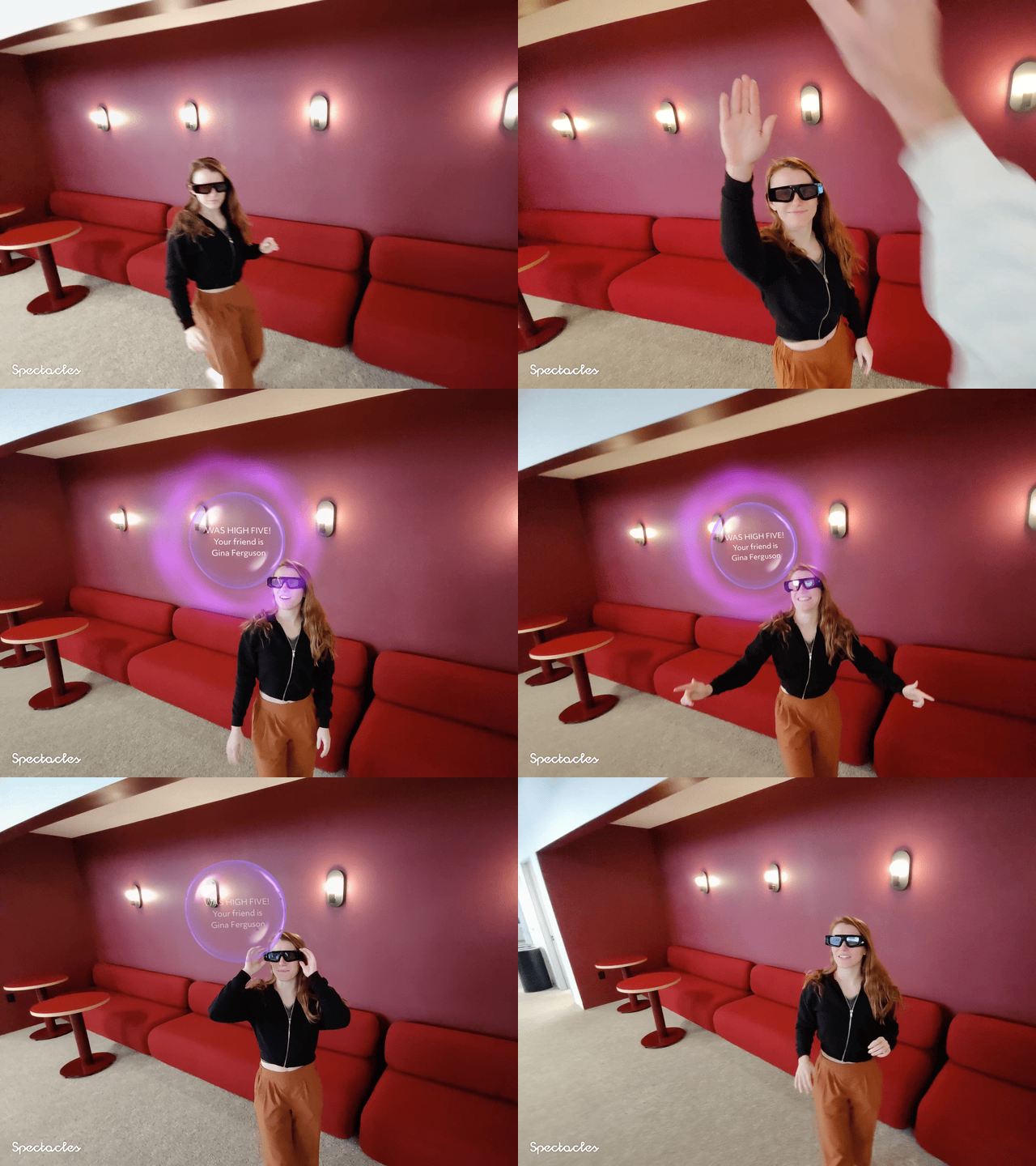
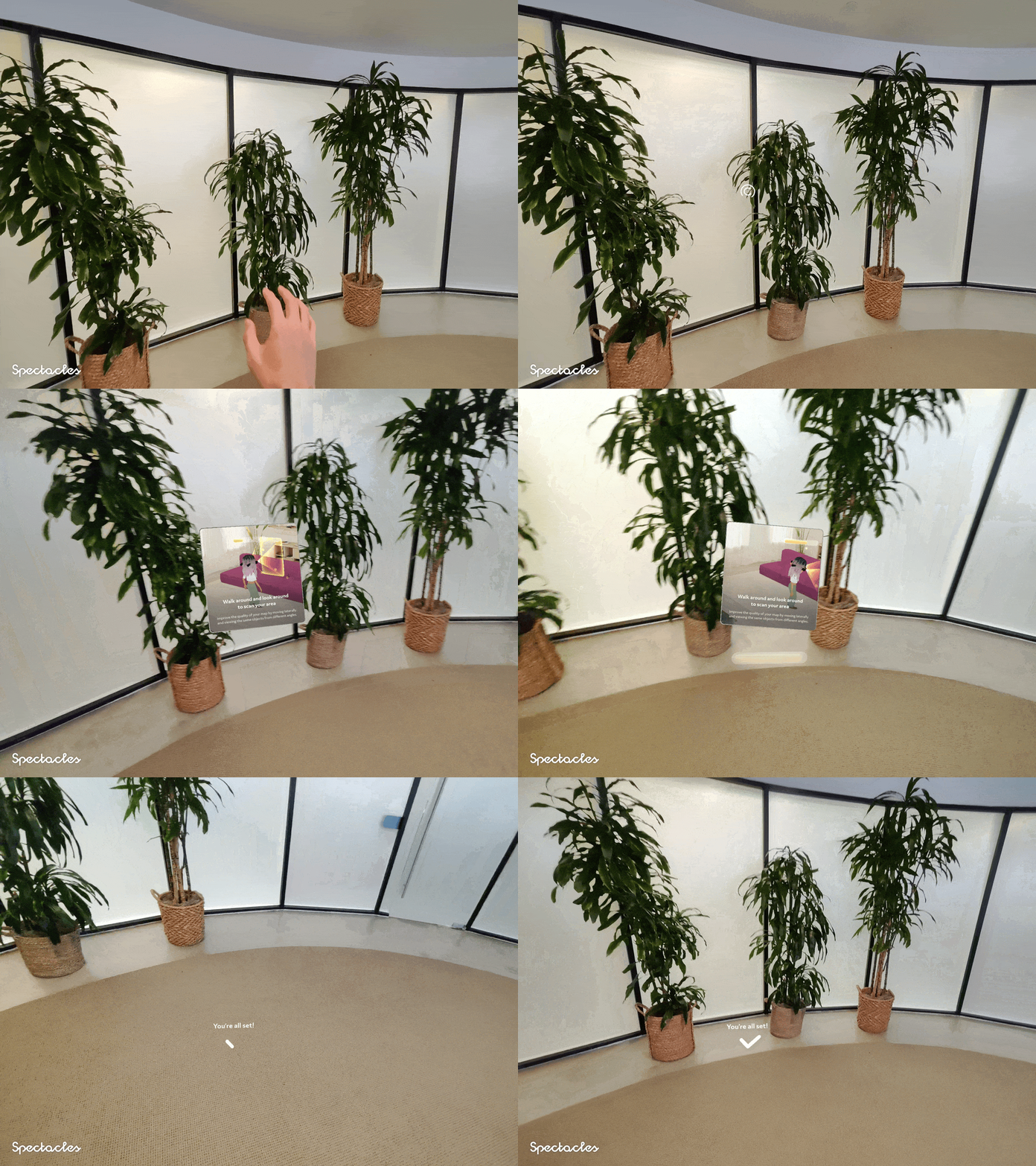
Connected Lenses enable multiple users with Spectacles to view and interact with the same content in real time. Spectacles and a friend are the only requirements for play; no additional items like a printed marker are needed. Each device operates within its own unique coordinate space, determining how Spectacles perceive their position relative to the world. In a co-located connected Lens environment, you must align the coordinate spaces of the devices to synchronize digital content. Spectacles simplify this process to take seconds and feel seamless and natural. Begin by opening a shared / connected Lens, look around your environment, instruct your friend to join the same session by accessing the Active Nearby category in Lens Explorer, then have them also look around your environment. Within seconds, synchronization occurs, and you are ready to play!
 |
 |
Spectacles enable ease of use of Connected Lenses and the development process is simplified as well. This release introduces new platform capabilities to expedite development time. The Spectacles Connected Lenses package in the Asset Library is now the Spectacles Sync Kit, featuring:
A complete re-write in TypeScript for modularity, allowing easier navigation of its code base with type completion.
Additional examples demonstrating basic functionalities such as:
- Synchronizing moving objects across participants
- Synchronizing numeric values, such as scores
- Synchronizing material color values to maintain visual consistency
Whether using the Spectacles Sync Kit or example projects, Lens Studio facilitates fast iteration and development for Connected Lenses. Lens Studio simulates a Connected Lenses session with multiple players by creating several preview panels, each acting as an independent player.
Additionally, we are introducing a new feature, the Connected Lens Monitor, which enhances debugging capabilities. With this, you can:
- Identify the session host, who originally created the Connected Lenses
- Monitor the frequency of messages sent in the session
- Determine the order of message transmission
- Track changes in object values and their sources of change
Review our developer documentation for more details.
With the Spectacles Sync Kit, resources for Sample Projects, and the Connected Lens Monitor now available, we look forward to seeing how you utilize these tools to create your next Connected Lens experience.
Giving Credit
Many of you are having fun sharing captures of your early concepts online. To make them more personal, we are adding some improvements including:
- An end card that showcases the icon, name, and developer name for your Lens. As your Lenses get shared around the web, they will easily be recognized as your work.
- We also added some new visual transparency treatment options to make your AR capture pop more and be more true to what you experience on the glasses.
Captive Portal Support for Internet on the Go
We added support for connecting to the internet using Captive portals common at hotels, airports, and public venues. You can now use the Browser to authenticate when connecting to those types of networks, perfect on your travels this holiday season.
More Control over Hand Input
In this release, we are introducing a new API to help you build more refined hand based interactions in your Lens. The hand velocity API gives you access to the velocity of the hand - useful when building interactive experiences that make use of fast hand movement, and demonstrated by different scores based on how hard you punch in Beat Boxer.
Guided Mode for Streamlining Demos at Events and Activations
For conferences and events where you want to focus your audience on a single experience. We are providing Guided Mode, which allows you to lock the system to a single Lens that the system will show every time you turn on the device. This allows you to have a more controlled experience focused on your Lens and not worry about your users going to other Lenses.
Make your experiences Snappy with Web Sockets
In this release, we are introducing support for web sockets. Using web sockets you can connect to backend servers and establish a real-time connection to exchange data. Unlocking more responsive real-time experiences that connect to backend servers including real-time exchanges with LLMs in the cloud for a more responsive and low latency experience. To learn about how to use web sockets, please see samples and documentation here.
Versions
Please update to the latest version of Snap OS and the Spectacles App. Follow these instructions to complete your update.
Please confirm that you got the latest versions
OS Version: v5.59.218
Spectacles App iOS: v0.59.1.1
Spectacles App Android: v0.59.1.1
❗Important Note Regarding Lens Studio Compatibility
To ensure proper functionality with this SnapOS update, please use Lens Studio version v5.4 exclusively. Avoid updating to newer Lens Studio versions unless they explicitly state compatibility with Spectacles, Lens Studio is updated more frequently than Spectacles and getting on the latest early can cause issues with pushing Lenses to Spectacles. We will clearly indicate the supported Lens Studio version in each release note.
Checking Compatibility
You can now verify compatibility between Spectacles and Lens Studio. To determine the minimum supported SnapOS version for a specific Lens Studio version, navigate to the About menu in Lens Studio (Lens Studio -> About Lens Studio).
Pushing Lenses to Outdated Spectacles
When attempting to push a Lens to Spectacles running an outdated SnapOS version, you will be prompted to update your Spectacles to improve your development experience.
Feedback
Please share any feedback or questions on Reddit.
v5.58.621 - Platform Features & APIs
- 🧠 2 New ML Lenses and 7 New Platform Features
- 🎹 Piano Tutor: Learn to play piano with interactive lessons and real-time feedback.
- ⚽ Ball Game: Interact with digital content using a physical ball.
- 📍 Spatial Anchors API (Beta): Persist content between Lens sessions.
- 🌐 Fetch and Base64 APIs: Simplify web endpoint calls and camera frame exchange.
- 📸 Image Spatialization API: Convert 2D images to 3D using generative AI.
- 🗺️ Location API (Beta): Access device GPS coordinates for location-based experiences.
- 💻 Web View Component: Embed web pages directly into your Lenses.
- 🔓 Lens Unlock: Share published Lens URLs for easy access.
- 🚀 New interactive sample scene: showcasing Spectacles Interaction Kit (SIK) capabilities
In this November 2024 update, we’ll be rolling out some of our many planned updates! We're introducing exciting new Lenses that showcase the power of the Spectacles camera and SnapML. We've also added 7 new platform features and tools to empower you to create even more innovative and engaging Lens experiences.
Introducing Piano Tutor and Ball Games
With the new Piano Tutor Lens, you have a personal piano instructor right at your fingertips. Learn to play through interactive lessons or practice your favorite songs. Piano Tutor uses a custom model powered by SnapML to adapt to different pianos all you need to do is sit down and play, eliminating the need for cumbersome manual setup and calibration, and uses another custom ML model for to detect if you played the right note and provide real-time feedback on your accuracy.
The Ball Game Lens transforms a physical ball into a controller in a virtual ball game, making it fun to practice kicking a ball through challenging virtual courses, no setup required. Using a custom tracking model, the Lens follows the ball's movements, allowing you to interact with both physical and digital elements together in a truly immersive way.
New Platform Features and APIs
We're excited to introduce the beta version of our Spatial Anchors API, enabling developers to anchor digital objects to specific locations in your surrounding and keeping them there so you can return to them later. Like a digital post it notes reminders of tasks and chores around your house. Now you can have the content of your Lens persist between sessions for a more immersive experience and ensure users can use your Lens for multiple sessions. (see examples and documentation)
We're also introducing a groundbreaking Image Spatialization API that leverages generative AI to convert common 2D image formats into 3D. Developers can now incorporate this API into their Lenses to create stunning 3D effects. In this release, we've updated the Layout Lens, allowing you to import images from your phone using the Spectacles app and spatialize them for a captivating 3D experience. (see examples and documentation)
In this release, we are unlocking your ability to use rich content from the internet in your Lens, or experiment with using camera input for experimenting with multi-modal AI. The new Fetch API and Base64 APIs simplify the process of calling web endpoints and exchanging camera frames with those endpoints in extended permissions developer mode. (see examples and documentation, and read more about experimental extended permissions)
Spectacles are the leading see through AR glasses designed for the outdoors, and with this release, we're introducing the beta version of the basic location API. This API grants access to the device's GPS coordinates, opening up a world of possibilities for location-based Lens experiences. In this release, we focused on increasing the reliability and speed of acquiring GPS coordinates, this will be a beta release followed by improvements (see examples and documentation)
We understand the value of web content, which is why we've added the new Web View component. This drag-and-drop component allows you to seamlessly embed web pages directly into your Lenses. (see examples and documentation)
Sharing your Lens creations is now easier than ever with the new Lens Unlock feature. Simply share the URL of a published Lens, and others can enter it into the Spectacles app to unlock and experience it. Unlocked Lenses remain in the 'All Lenses' section for 24 hours and if you want to come back to it frequently, you can favorite it for quick access in Lens Explorer.
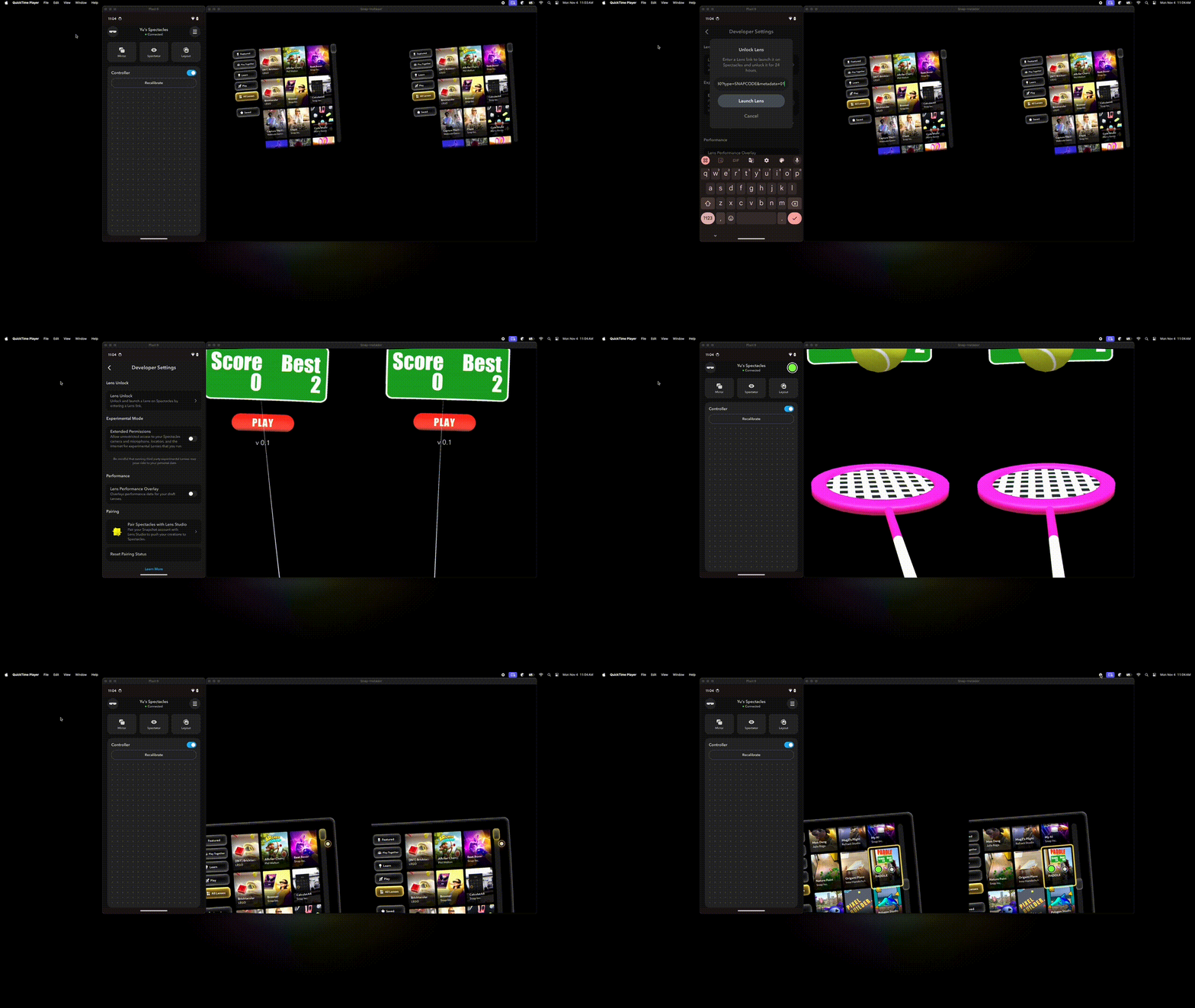
Improvements and Bug Fixes
In addition to these great features, we also made some improvements and bug fixes, including:
- 🤖 Support for annotations in the Video calling Lens when calling an Android user (rolling out on Snapchat Android in the next several weeks)
- 🛠️ New encoding support in Video calling that makes it more power-efficient so you can use Video calling for longer
- 🛜 Improvements to MyAI in poor internet conditions, reduced voice response latency, and adjustment to more easily center on the region of interest
- 🪫 Added device time-out settings in mobile which enables you to adjust the time before the device shuts-down when not in use.
Please update to the latest version of Snap OS and the Spectacles App. Follow these instructions to complete your update (link)
Once update, please confirm that you got the latest versions
OS Version: v5.58.621
Spectacles App iOS: v0.58.1
Spectacles App Android: v0.58.1.0
❗A note on Lens Studio
Please only use version v5.3 of Lens Studio. Please DO NOT update to a later version of Lens Studio unless it explicitly mentions current support for Spectacles. Lens Studio is updated more frequently than Spectacles and getting on the latest early can cause issues with pushing to Spectacles. We’ll explicitly mention the supported version of Lens Studio with every release note
If you have any feedback or questions, please head over to reddit.com/r/spectacles and reply to the thread.
v5.57.0449 - Transfer Reliability Improvements
In this interim update, we have added bug fixes to improve the reliability of transferring captures from Spectacles to the phone among other bug fixes.
Please update to the latest version of Snap OS and the Spectacles App. Follow these instructions to complete your update and confirm you have the latest versions below:
OS Version: v5.57.0449
Spectacles App iOS: v0.57.9.0
Spectacles App Android: v0.57.54
❗A note on Lens Studio
Please only use version v5.1.1 of Lens Studio. Please DO NOT update to the latest version of Lens Studio unless it explicitly mentions current support for Spectacles. Lens Studio is updated more frequently than Spectacles and getting on the latest early can cause issues with pushing to Spectacles. We’ll explicitly mention the supported version of Lens Studio with every release note
If you have any feedback or questions, please respond to the thread on Reddit.